How it works
It thinks between your visits
You talk to it the way you would tell a colleague. It does the remembering.
One
Tell it what happened
After a call, a meeting or a chat at the school gate, tell it in a sentence or two, typed or spoken. “Coffee with Anna. She’s happy with the draft, wants analytics priced separately. I’ll send a revised quote by Friday.” That is all it needs.
Read the guide
Two
It picks out what matters
From that one message it records the conversation against Anna, notes the promise you made and its deadline, and notes what Anna now wants. Weeks later, if Anna asks for something that contradicts what she said before, it points out the change, so you go into the next call already aware.
Read the guide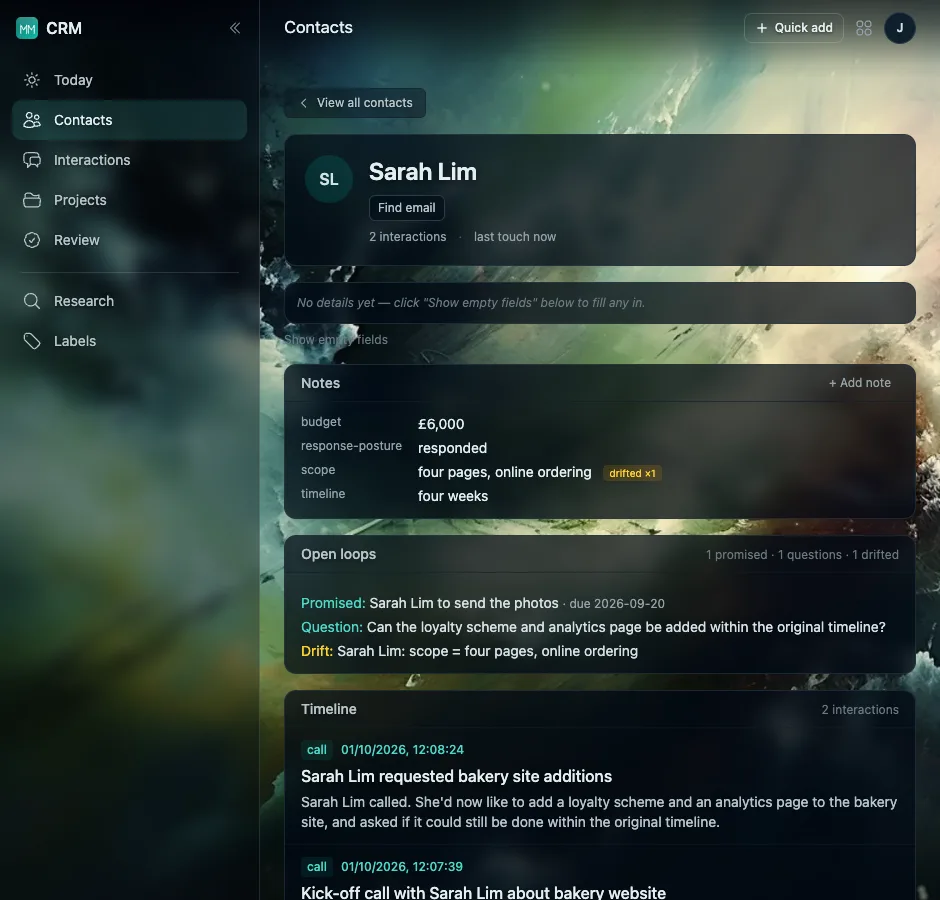
Three
Each morning, a short list
The Today page is a handful of things, grouped by why they are there: what has changed, who you care about has gone quiet, and which promises are still open. Not a score, not a wall of tasks. A reason next to each one.
Read the guide
Four
When it isn’t sure, it asks
The worst thing an assistant can do is invent something you never said. So when it is confident, it saves quietly. When it is not sure, it puts a card in your Review list for one tap: yes or no. And when what you said is too unclear to be useful, it writes nothing at all.
Read the guide
Five
People, with all their roles
Real relationships are not one box on a form. Tom can be a past client, a friend and the person who sends you work, all at once, and the CRM lets him be all three. Projects start and finish inside a relationship that carries on: when Anna’s redesign ends and her next piece of work begins, the whole history is still there.

Your contacts are yours
Only you can see what you record, and it only knows what you choose to tell it. It is built to keep facts, promises and questions, and never character judgements or guesses about how someone feels. The detail is in the privacy policy.
Ready?
Tell it about your first person
Sign in and describe your last conversation with someone. That is the setup.
See how to start